
GoHighLevel, explained in plain English
What Is GHL (GoHighLevel)? A Plain-English Guide for 2027
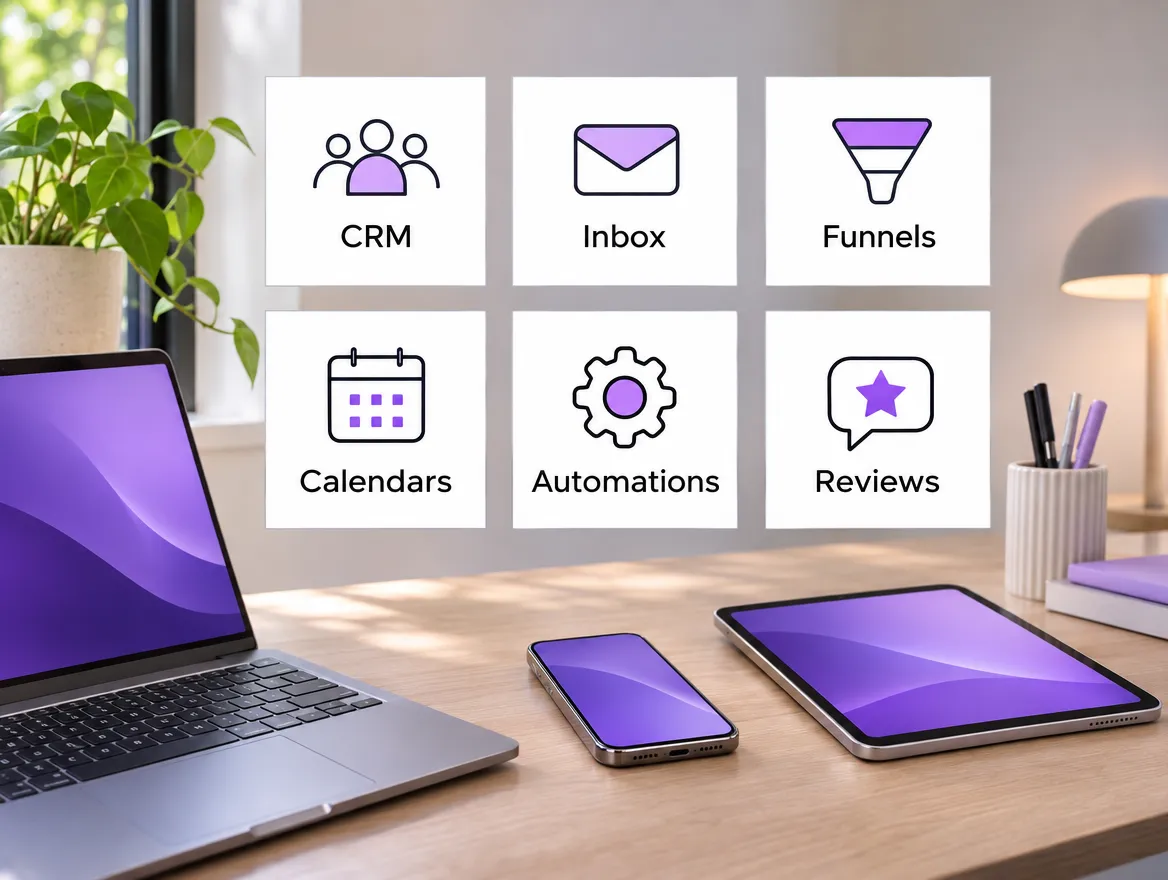
GHL stands for GoHighLevel, the web address of HighLevel. It is an all-in-one sales and marketing platform. It puts a CRM, a shared inbox for texts and emails, websites and funnels, booking calendars, email and SMS marketing, automations, review tools, online courses and AI assistants in one login. It was built for marketing agencies, and many small businesses now use it directly. As of November 2026, plans start at $97 a month, with a 14-day free trial.

Start here
New to GHL? Start with these four.
What it does, the features, the words people use, and what it costs. No jargon, no hype.
Features
GoHighLevel Features Explained for Beginners
Every main GoHighLevel feature in plain English: CRM and pipelines, the inbox, funnels, email and SMS, calendars, workflows, reviews, courses and AI.

Get started
Getting Started with GoHighLevel
Getting started with GoHighLevel: what to set up first after signing up, from your sub-account, phone number and A2P to email, contacts and calendars.
The basics
What Does GoHighLevel Do? A Customer Journey Walkthrough
What does GoHighLevel do? Follow one customer from first click to booking, payment and review, and see which HighLevel tool handles each step.

If you run a small business or are starting a marketing agency, you have probably heard someone say “just put it in GHL”. This guide explains what that means in plain English. It is written by the What Is GHL team, an independent site. We are not HighLevel. Every fact here comes from HighLevel’s own website, its help center or its official blog, checked in November 2026.
Affiliate note: if you start a trial through our button we may earn a commission from HighLevel, at no extra cost to you. It does not change what we write. Read our affiliate disclosure.
What does GHL mean?
GHL is short for GoHighLevel. The company and the product are officially called HighLevel, but its website lives at gohighlevel.com, so people say “GoHighLevel” or “GHL” in conversation. All three names mean the same software. You will see HighLevel used inside the app and in the help docs.
You may also see the name LeadConnector. That is a “graylabeled” version of HighLevel’s mobile app and some of its services, with no HighLevel branding, according to HighLevel’s mobile apps overview. If an agency set you up with “LeadConnector”, you are most likely using HighLevel underneath.
New to the jargon? Our GoHighLevel glossary explains terms like sub-account, snapshot, smart list and workflow in one or two sentences each.
Who makes HighLevel?
HighLevel is a software company founded in 2018 by Shaun Clark, Varun Vairavan and Robin Alex. Its corporate headquarters is in Dallas, Texas. Its stated mission at launch was to give marketing agencies the tools to automate, scale and deliver better results for their clients, according to the official About page.
The About page gives a short company timeline. It says HighLevel launched publicly in 2019 with more than 1,000 customers, and that by 2025 it was “powering 2.2 million businesses”. Those are HighLevel’s own figures; we have no independent way to check them. The footer of the website names the operating company as HighLevel LLC, a subsidiary of GoHighLevel Inc.
What does GoHighLevel actually do?
GoHighLevel replaces a stack of separate tools with one system. Instead of paying for a CRM, a website builder, an email tool, a booking app and a texting app, you get them in one account with one contact list. A lead who fills in a form can be texted, booked, followed up and asked for a review from one place.
Think of the journey a customer takes with a local business:
- Get found: a website or landing page, social posts and ads bring people in.
- Capture the lead: a form, chat widget, phone call or text creates a contact in the CRM.
- Follow up: replies happen in one inbox, and automations send reminders so nobody is forgotten.
- Book and sell: the lead picks a time on a booking calendar, and you track the deal in a pipeline, send invoices or take payments.
- Keep them coming back: review requests, email newsletters, courses and memberships keep customers engaged.
HighLevel has a tool for each step. We walk through this in more detail in what GoHighLevel does, step by step through a customer journey.
GoHighLevel’s main features in plain English
HighLevel’s pricing page lists its core features: CRM and pipelines, a website and funnel builder, email and SMS marketing, calling, a unified inbox, workflow automation, forms and surveys, booking calendars, social media tools, reputation management, payments, courses, communities, AI tools and a mobile app. Here is what each one means.
CRM, contacts and pipelines
The CRM is your list of contacts, with their details, notes, tags and history. Pipelines show deals moving through stages, like “New lead”, “Quote sent” and “Booked”. HighLevel calls each deal an opportunity, and its pipelines guide describes the structure as contact, then opportunity, then pipeline, then stage.
Conversations: one inbox for every message
The Conversations tab collects texts, emails, website chat, Facebook and Instagram messages and WhatsApp in one inbox, so your team replies from one screen instead of five apps. Google reviews can also sync in once your Google Business Profile is connected.
Funnels and websites
You can build full websites and step-by-step funnels with a drag-and-drop builder. HighLevel’s websites overview explains the difference: a website is a set of pages people navigate freely, while a funnel is an ordered set of steps built around one goal, such as a sign-up. Split testing is available on funnel pages, not website pages.
Email and SMS marketing
You can send one-off email campaigns and text messages, or set them to go out automatically. HighLevel has its own email sending service, LC Email, and its own phone system, LC Phone. Both are billed by usage on top of your plan.
Calendars and booking
Booking calendars let customers pick a time that suits them. HighLevel lists several calendar types, including simple, round robin (shares bookings across a team), class booking (one host, many attendees), collective and service calendars, in its calendar types folder.
Automations (workflows)
A workflow is a rule that runs on its own: when something happens (the trigger), the system does something (the actions). For example, when someone books, the system can send a confirmation. HighLevel’s getting started with workflows guide covers the basics. You can start from scratch, from a template or with AI help.
Reputation management
Reputation tools ask happy customers for reviews by text or email, and help you see and reply to Google and Facebook reviews in one place. An optional Reviews AI feature can draft or post replies for you.
Memberships, courses and communities
You can host online courses and private communities, and sell access to them. Members log in through a client portal. This is useful for coaches, trainers and anyone who sells knowledge.
AI Employee and AI tools
HighLevel groups its AI products under the name AI Employee. They include Conversation AI (a chat assistant that answers and books leads), Voice AI (an AI phone agent), Reviews AI, Content AI and Ask AI, an in-app helper. Some AI is free; the customer-facing AI is pay-per-use or a monthly add-on.
The mobile app
There is a mobile app for iPhone and Android where you can reply to conversations, get notifications and manage contacts on the go. Agencies can also pay for their own white-label mobile app.
Sub-accounts and the agency view
HighLevel is organised in two layers. The agency view is the top level, where you manage billing, users and settings. Each business you run, or each client you serve, gets its own sub-account (also called a location), with its own contacts, calendars and phone numbers. This is what makes HighLevel popular with agencies.
For a longer tour, read every GoHighLevel feature explained for beginners and GoHighLevel sub-accounts and the agency view explained.
Who uses GoHighLevel?
HighLevel was built for marketing agencies that manage many clients. Today the main users are agencies, consultants and freelancers who set it up for clients, and small service businesses that run it themselves: local trades, clinics, gyms, salons, coaches and course creators. The pricing page describes Starter as “for one business or a few clients”.
| Type of user | What they usually use HighLevel for |
|---|---|
| Marketing agency | One sub-account per client, ready-made setups (snapshots), white-label branding on higher plans |
| Local service business | Lead capture, one inbox, booking, reminders and review requests |
| Coach or consultant | Funnels, calendars, email follow-up, courses and payments |
| Course creator | Course hosting, communities, checkout pages and email |
| Freelancer | Building funnels and automations for a few clients on the Starter plan |
See who uses GoHighLevel and who it is not for for an honest look at each group.
Who GoHighLevel is not for
HighLevel does a lot, and that is also its main downside. It is not the best choice for everyone:
- You only need one simple tool. If all you want is an email newsletter or a booking link, a single-purpose app will be easier and may cost less.
- You have no time to set it up. Even with templates, building funnels, calendars and automations takes real hours.
- You need deep, specialist software. Large enterprise sales teams, or clinics that need clinical charting, usually need industry-specific tools.
- You need HIPAA compliance but cannot budget for it. HighLevel accounts are not HIPAA compliant by default; it is a paid add-on.
How much does GoHighLevel cost?
As of November 2026, HighLevel has three self-serve plans: Starter at $97 a month, Unlimited at $297 a month and Founder at $497 a month, plus a custom-priced Enterprise plan. Every plan includes unlimited contacts and unlimited users. Texts, calls, email sends and some AI are billed on top.
| Plan | Monthly price | Sub-accounts | In one line |
|---|---|---|---|
| Starter | $97 ($970/year) | 3 | All core features for one business or a few clients |
| Unlimited | $297 | Unlimited | Adds unlimited sub-accounts, a white-label desktop app, API access and pass-through billing |
| Founder (formerly Agency Pro) | $497 | Unlimited | Adds SaaS mode, resale with markup and Founder-only tools |
| Enterprise | Custom quote | Custom | Dedicated team, HIPAA and white-label mobile app included |
Prices are in US dollars, as of November 2026, from the official HighLevel pricing page. The $497 plan was renamed from Agency Pro to Founder, as HighLevel explains in its Founder plan help article.
Usage costs are small per item but add up with volume. For example, HighLevel’s pricing guide lists LC Email at $0.675 per 1,000 emails, and its phone pricing guide lists US texts at $0.00747 per segment plus carrier fees and a local number at $1.15 a month. Our full guide to how much GoHighLevel costs, including usage fees covers the details.
How the GoHighLevel free trial works
HighLevel’s pricing page offers a free 14-day trial on any plan, with the full features of the plan you pick. Expect to add a card at sign-up. Billing starts automatically when the trial ends unless you cancel, and usage fees for things like texts and phone numbers can apply during the trial.
During the trial, HighLevel’s support article says new and trial users can book a session with its Trial Experience Team to get set up. Some partner offer pages on gohighlevel.com advertise a longer trial, so always check the length shown on the sign-up page before you enter a card. Our GoHighLevel free trial guide explains what to test and how to cancel.
What to do first after you sign up
Start small. Set up your agency details, create or open one sub-account for your business, connect your email sending domain and phone number, import your contacts, and build one booking calendar and one form. Leave advanced automations for later. HighLevel’s LaunchPad walks newer accounts through these setup tasks with short videos.
Two things trip up many beginners. First, sending texts to US numbers from a local number needs A2P 10DLC registration, which takes time to approve. Second, new email sending accounts have a short ramp-up period with lower daily limits. Plan for both. Our getting started with GoHighLevel guide lists the first steps and links to the right official help articles.
How GoHighLevel compares to other CRMs
The big difference is scope and pricing model. Tools like HubSpot charge more as you add seats and marketing contacts, while HighLevel charges a flat plan price with unlimited contacts and users, then bills messaging by usage. HighLevel covers more ground in one login, but it can feel less polished than tools that do one job.
As of November 2026, HubSpot’s official Marketing Hub pricing page lists Professional from $800 a month with 3 seats and 2,000 marketing contacts, plus a required $3,000 onboarding fee. ClickFunnels’ pricing page lists its Launch plan at $97 a month with a 10,000 contact limit. Read GoHighLevel vs other CRMs for the fair side-by-side.
The honest pros and cons of GoHighLevel
HighLevel’s strengths are breadth, a flat price with unlimited contacts, and agency features like sub-accounts and white-labeling. Its weaknesses are a learning curve, usage fees that are easy to overlook, and the fact that a tool doing everything rarely does every single thing best.
Pros
- Many tools in one login, sharing one contact list
- Unlimited contacts and users on every plan
- Built for agencies: sub-accounts, snapshots, white-label options
- Month-to-month billing with no long-term contract
- 24/7 live chat support, according to HighLevel
Cons
- A real learning curve; setup takes time
- Texts, calls, emails and some AI cost extra
- US texting needs A2P 10DLC registration first
- Not HIPAA compliant by default
- Frequent updates mean menus and names change
How we wrote this guide
We used only official HighLevel sources: gohighlevel.com, the help center at help.gohighlevel.com and HighLevel’s blog and changelog. We link to the official page next to each fact so you can check it. If something could not be confirmed on an official page, we left it out rather than guess.
HighLevel releases changes often, and feature names move around. If your screen looks different from what we describe, the help center is the best place to check the current version. You can also tell us through our contact page.
See it for yourself.
The quickest way to understand GoHighLevel is to click around it. Start the free trial and cancel before it ends if it isn’t for you.
Affiliate link. See our disclosure.
FAQ